


Trainings and roll call
What you'll learn
- How to create a training
- How to take the roll and save attendance
- Where to see notes and the season summary
- Go to Trainings, pick the team and tap New training.
- Enter the date, the length and, if you like, a short note. The whole squad starts as Present.
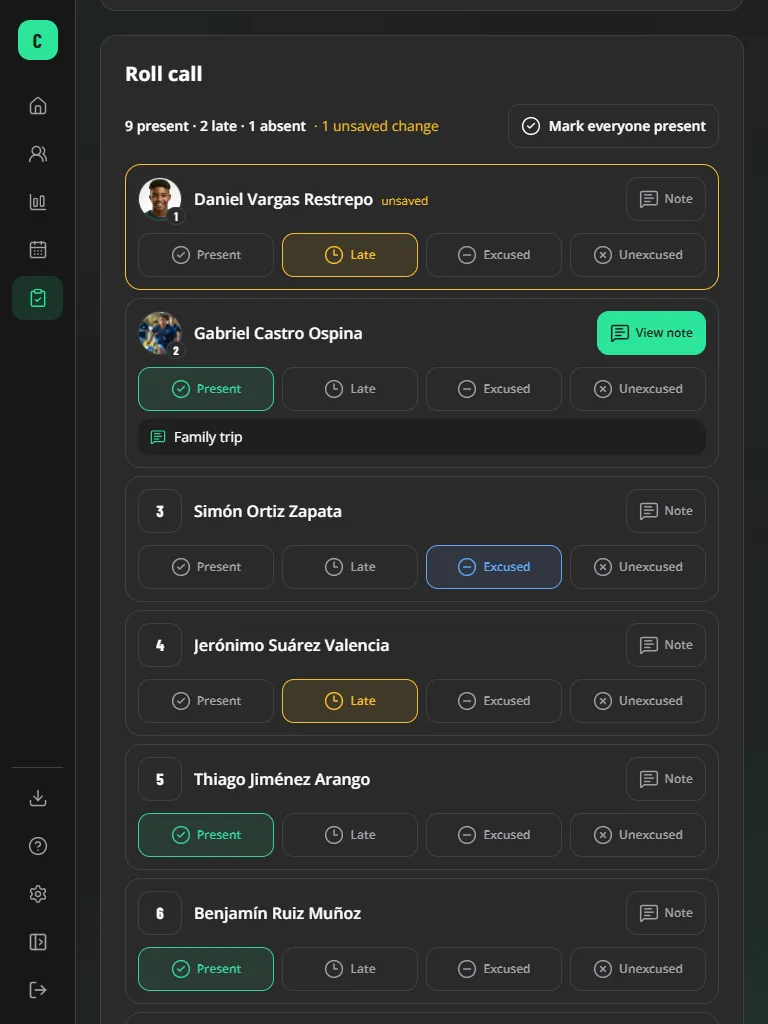
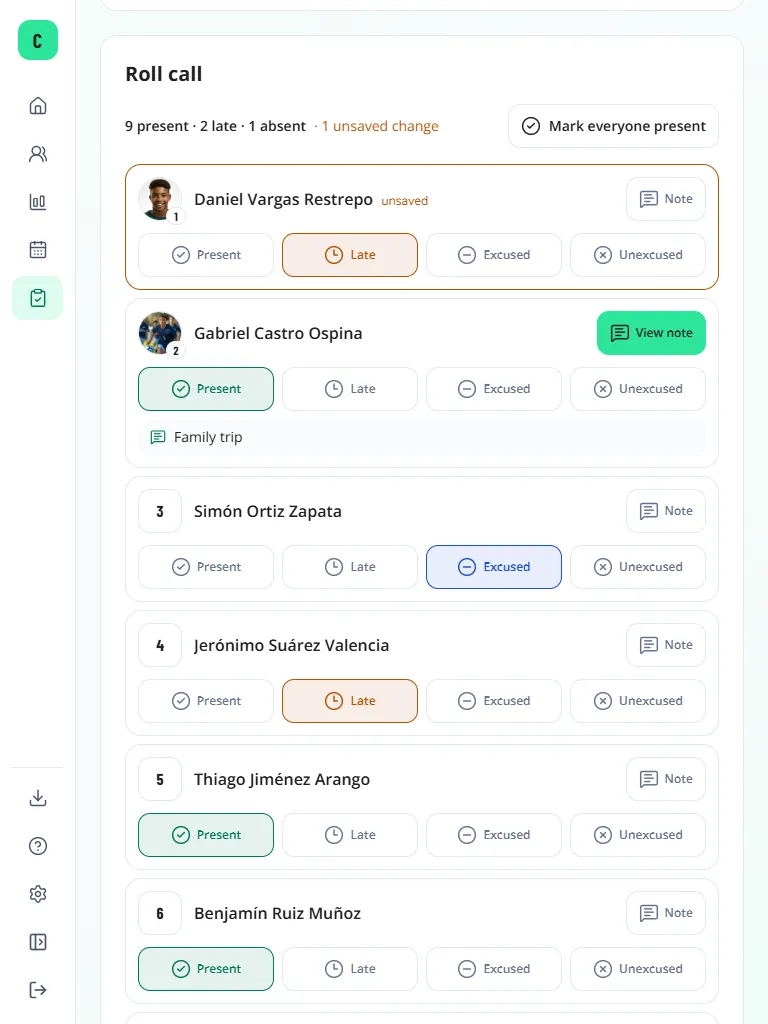
- In the Roll call, tap Present, Late, Excused or Unexcused for each player (or Mark everyone present).
- If needed, add a short Note to a player (no medical data).
- Tap Save attendance at the end of the list.
Players with an approved photo show their photo (with the jersey number in a small circle); the others show their number.
Tip
Pending changes are marked unsaved and are not lost if the page reloads or the connection drops. If you leave with pending changes, the platform asks first.
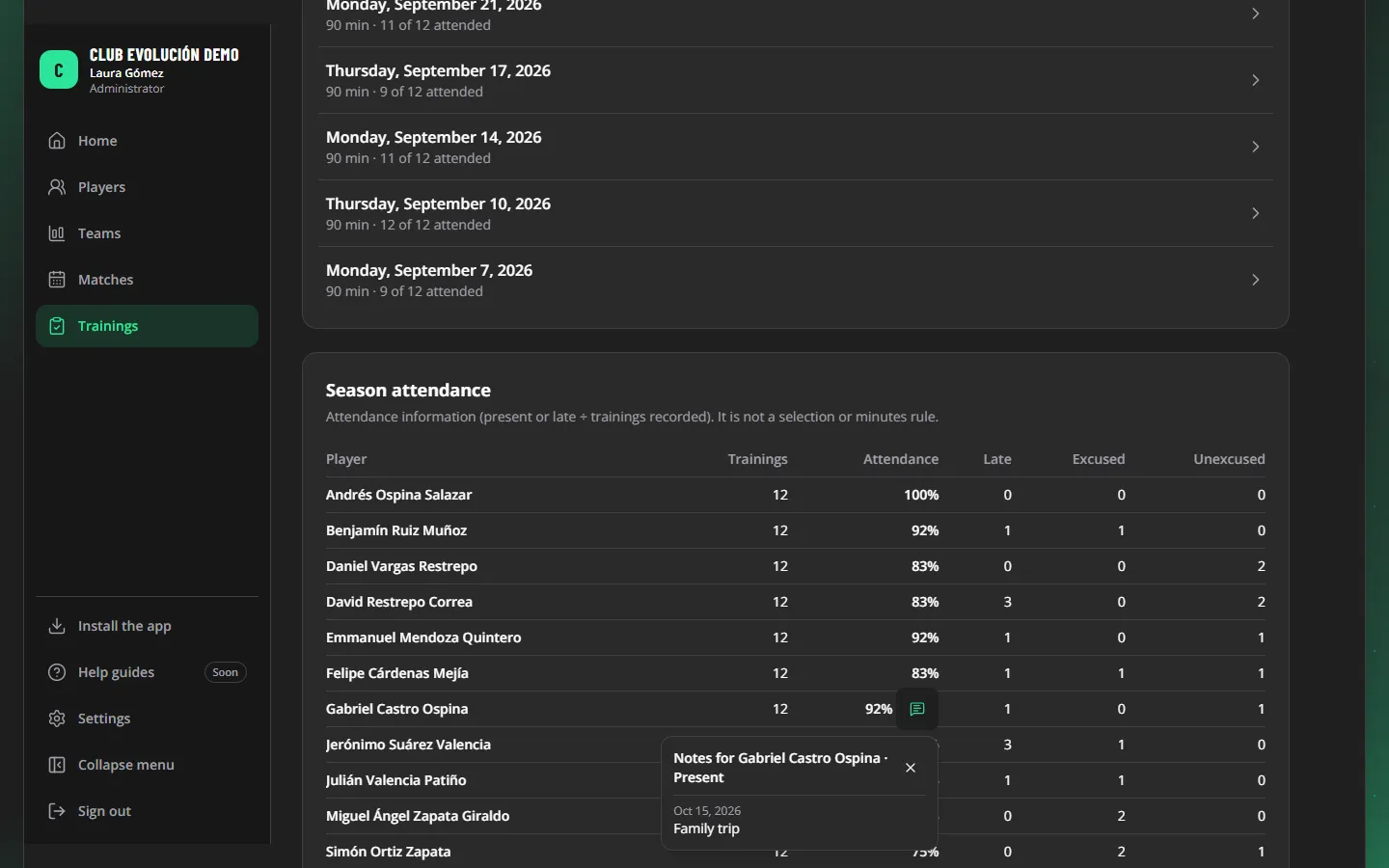
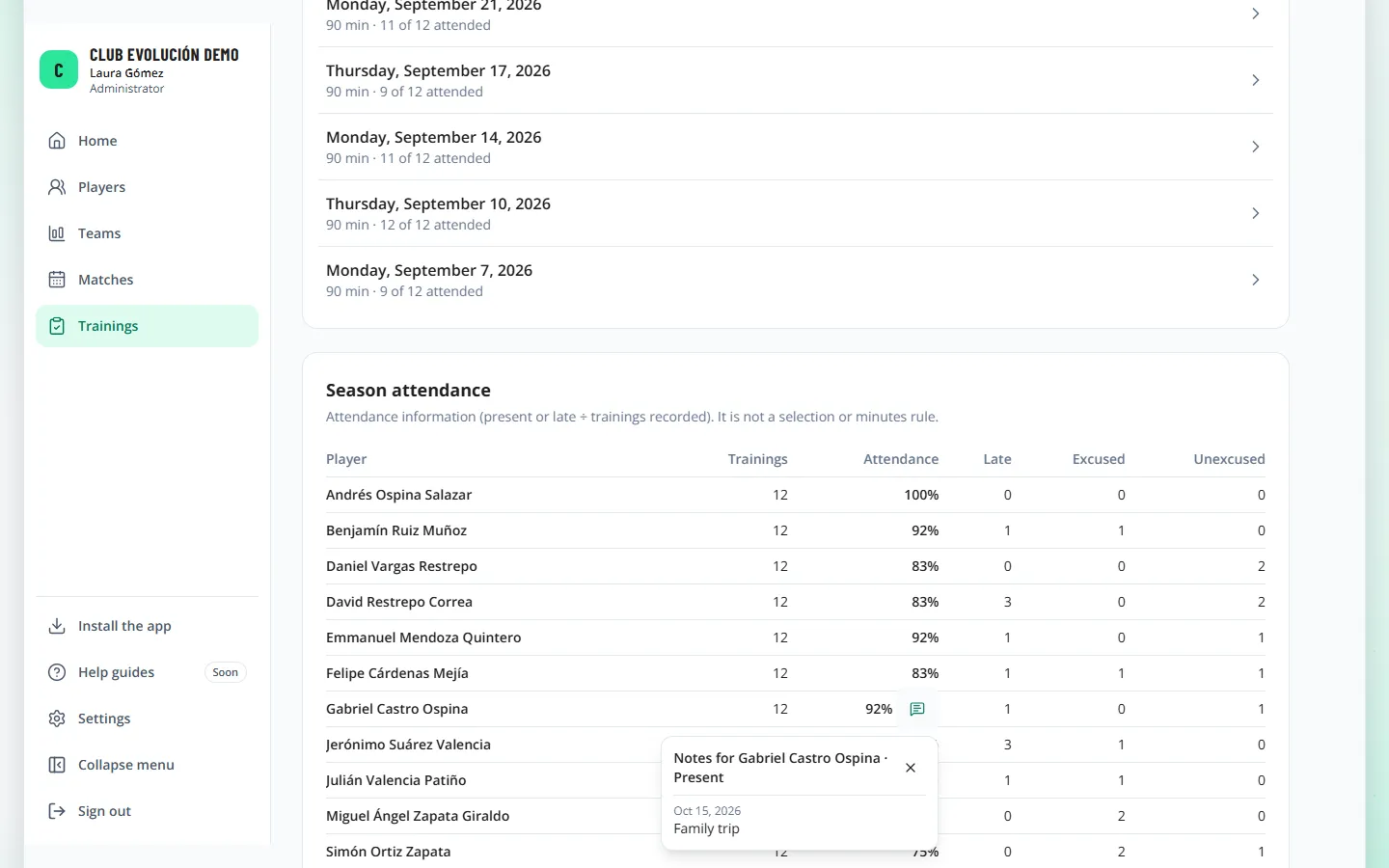
A player with a note shows View note and the text under their name. In Season attendance, numbers with notes have an icon: tap it to read them with their dates.
Important
Attendance is information: it is not a call-up or minutes rule.
Recap
- Trainings → New training → Roll call
- One tap per player and "Save attendance" at the end
- Notes show in the list and in the season summary
To unmark the lesson, select the button again.
Questions? Visit our support portal: support.proevolutionlab.com (opens in a new tab)