


Corrections and reading evaluations
What you'll learn
- How to correct an evaluation
- How to understand each answer when reading it
A submitted evaluation is never deleted or rewritten: corrections are saved as a new revision with a reason, and the previous one is kept.
- In Evaluations, tap Correct on the player.
- Change what's needed and write the Reason for the correction (required).
- Tap Review and then Submit correction: the list shows the revision number.
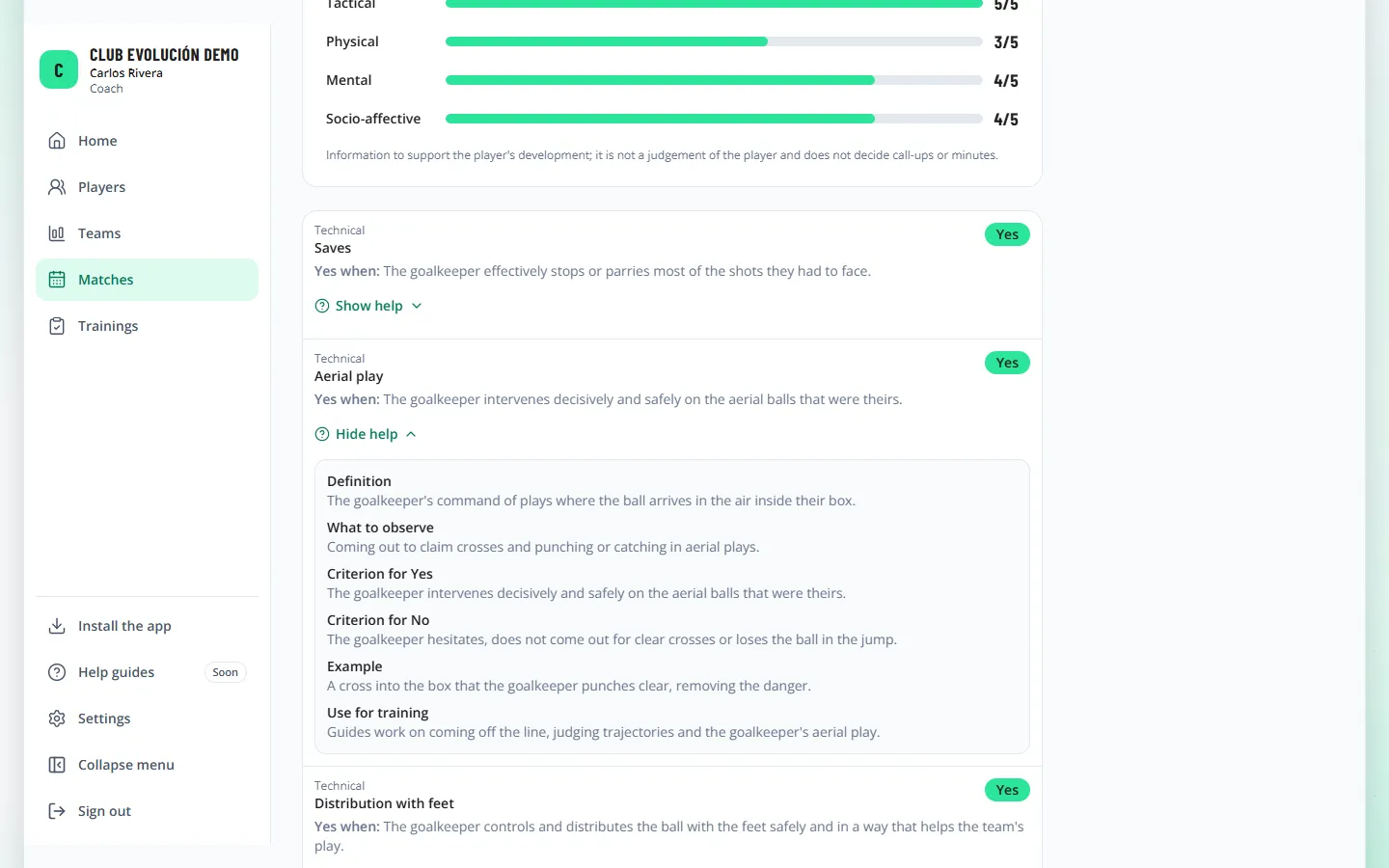
Those who don't submit evaluations read them with View: every question shows the answer, the rule that explains it (Yes when… or No when…) and Show help with the Manual's full card.

Tip
This way the coach understands why each variable ended up "Yes" or "No" and can use it in training.
Recap
- Correct creates a new revision; the previous one is kept
- "View" shows the rule behind each answer
- "Show help" opens the Manual's card
To unmark the lesson, select the button again.
Questions? Visit our support portal: support.proevolutionlab.com (opens in a new tab)