


Player participation
What you'll learn
- How to record who played and for how long
- What to do with a called-up player who did not play
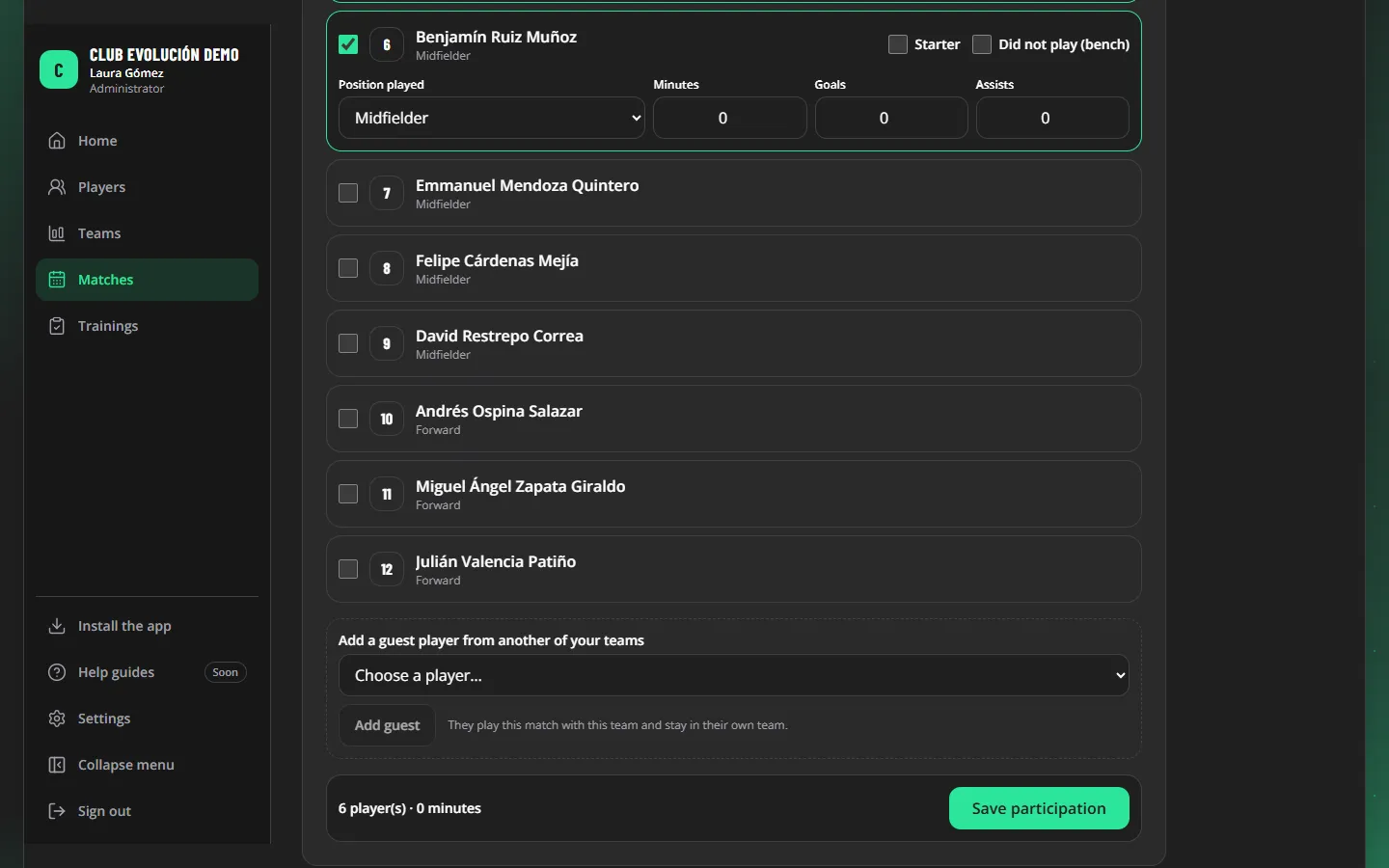
- In the match, go to Participation.
- Tick every player who took part and whether they were a Starter.
- Choose the position played (where they played the most minutes) and enter minutes, goals and assists.
- Tap Save participation at the end of the list.
Important
No player can have more minutes than the length of the match.
A called-up player who did not play is marked Did not play (bench): they appear on the list but are not evaluated.
Guest player: if a player from another of your teams plays this match, choose them in Add a guest player from another of your teams and tap Add guest. They appear as *Guest from [their team]*, are recorded and evaluated like everyone else, and stay in their own team. A coach sees only the teams assigned to them.
Is the guest evaluated? Yes. They are evaluated in that match with the same form, and the evaluation goes into their history, so their profile updates. The evaluation belongs to the team that played the match: it counts in that team's results (not their own team's), and the Admin, Technical Directors and that team's coaches see it. A coach who has only the player's own team does not. As with any player, a coach can submit evaluations only if the club has that turned on.
Tip
If the position played is not the player's usual one, the platform marks it as "out of position". An evaluated player is locked here: their position is changed from the evaluation.
Recap
- Tick who played, the position played and the minutes
- "Did not play (bench)" is not evaluated
- Evaluated players are locked in the participation
To unmark the lesson, select the button again.
Questions? Visit our support portal: support.proevolutionlab.com (opens in a new tab)