


The player profile
What you'll learn
- What the profile shows
- How to add measurements, history, call-ups and achievements
- Who can add or delete each item
- How the English level is verified
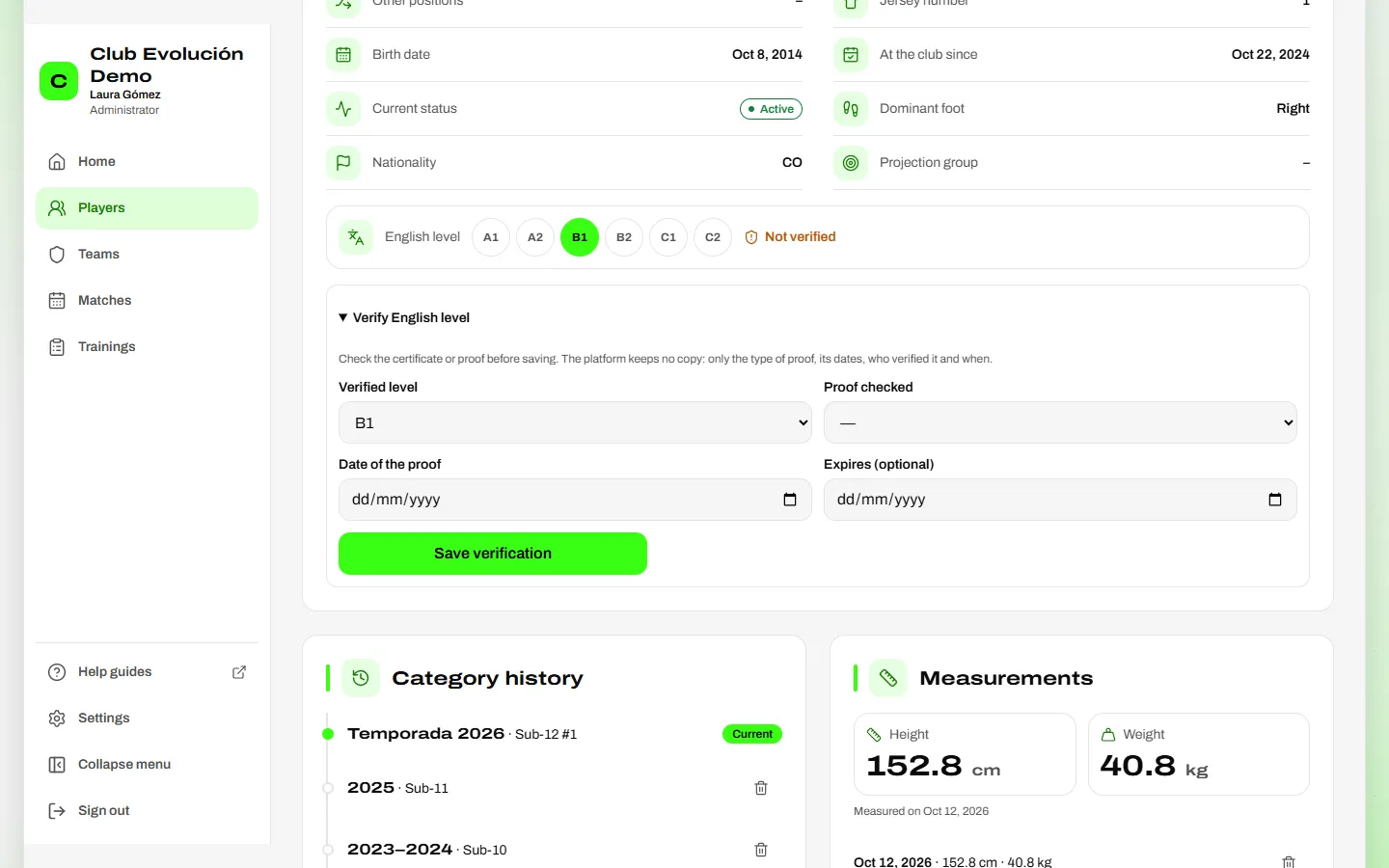
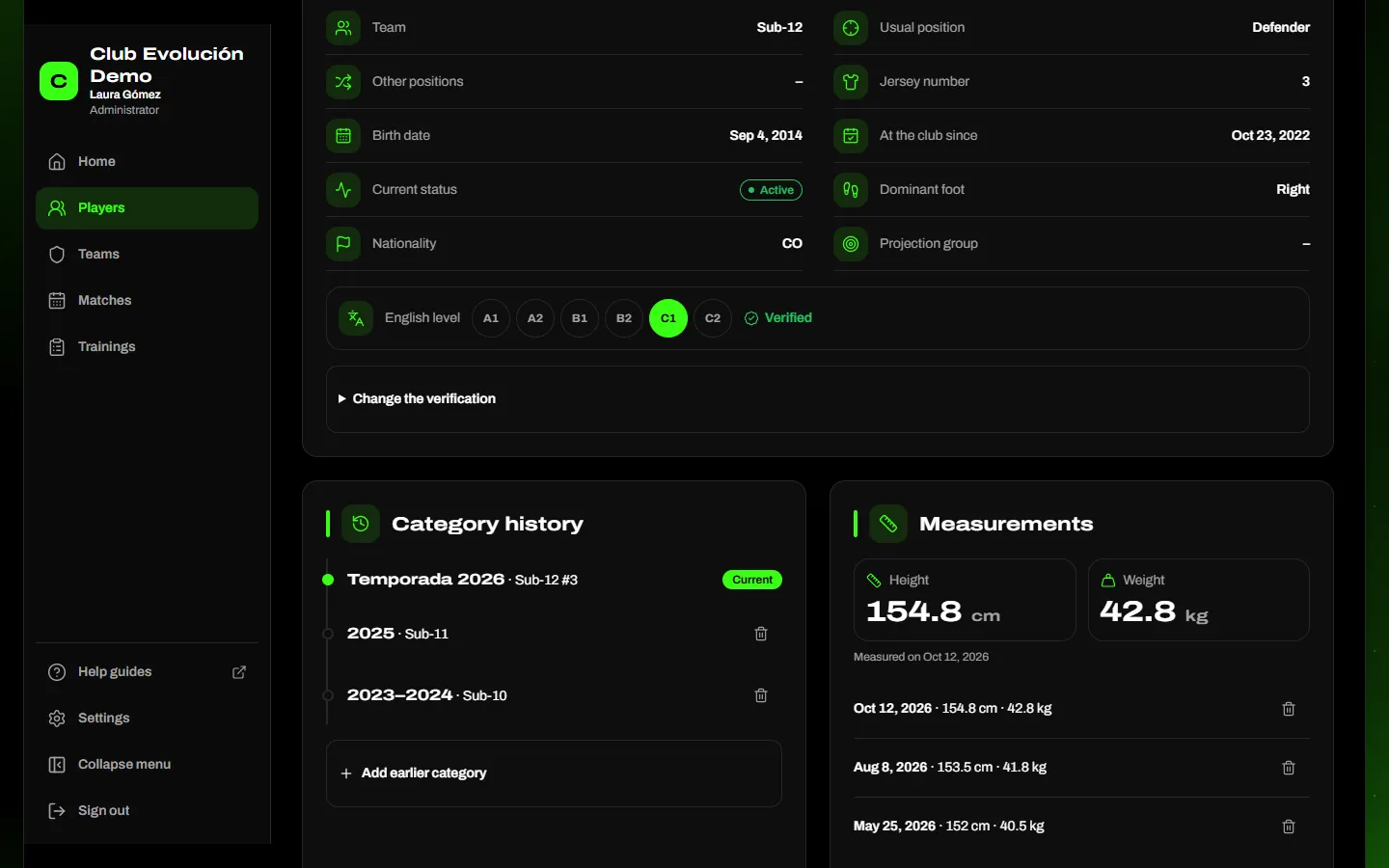
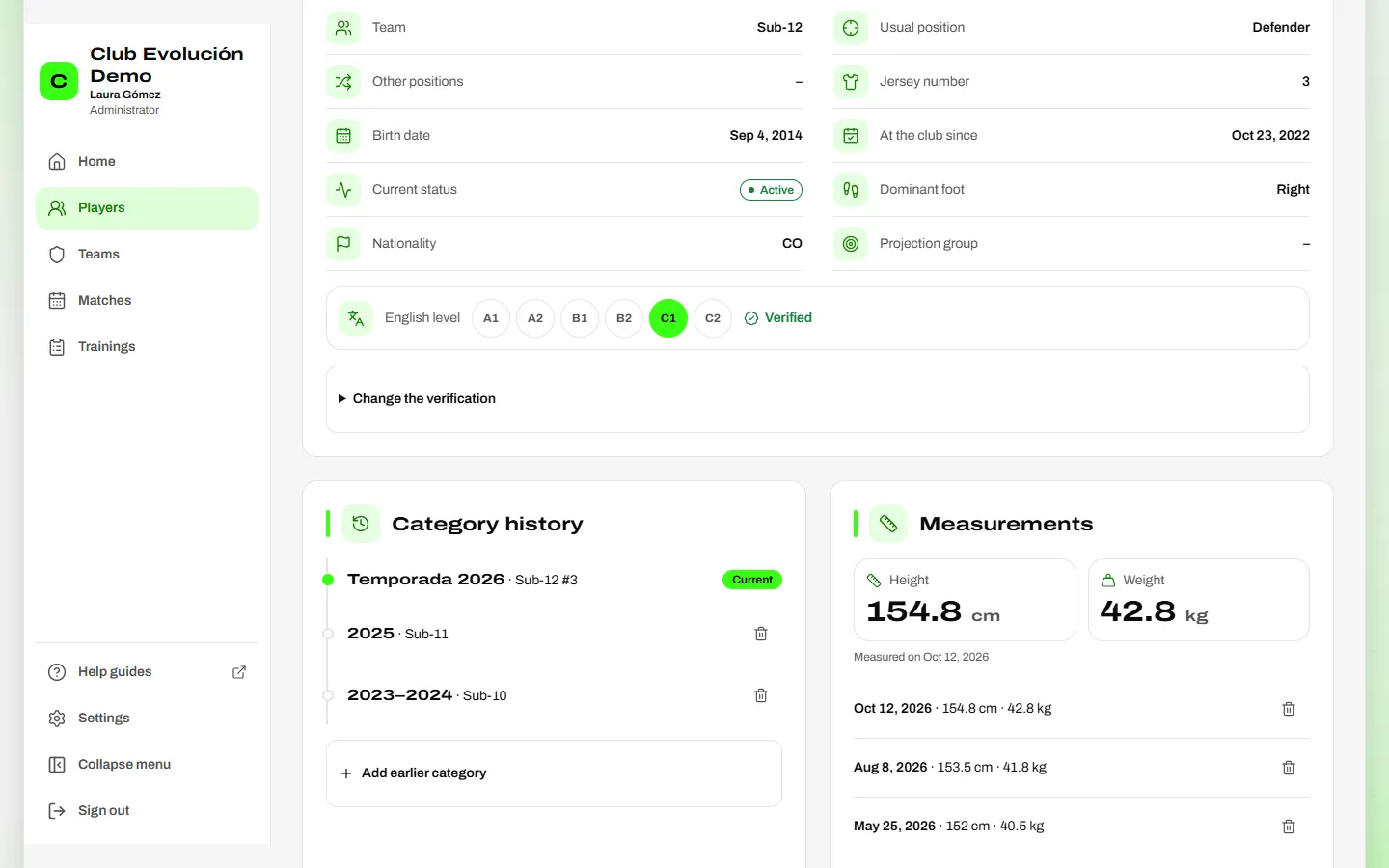
The profile brings together the player's sports information: team, positions, jersey number, dates, status, dominant foot, nationality, projection group and their English level on the A1–C2 scale (verified by the Administrator; see below).

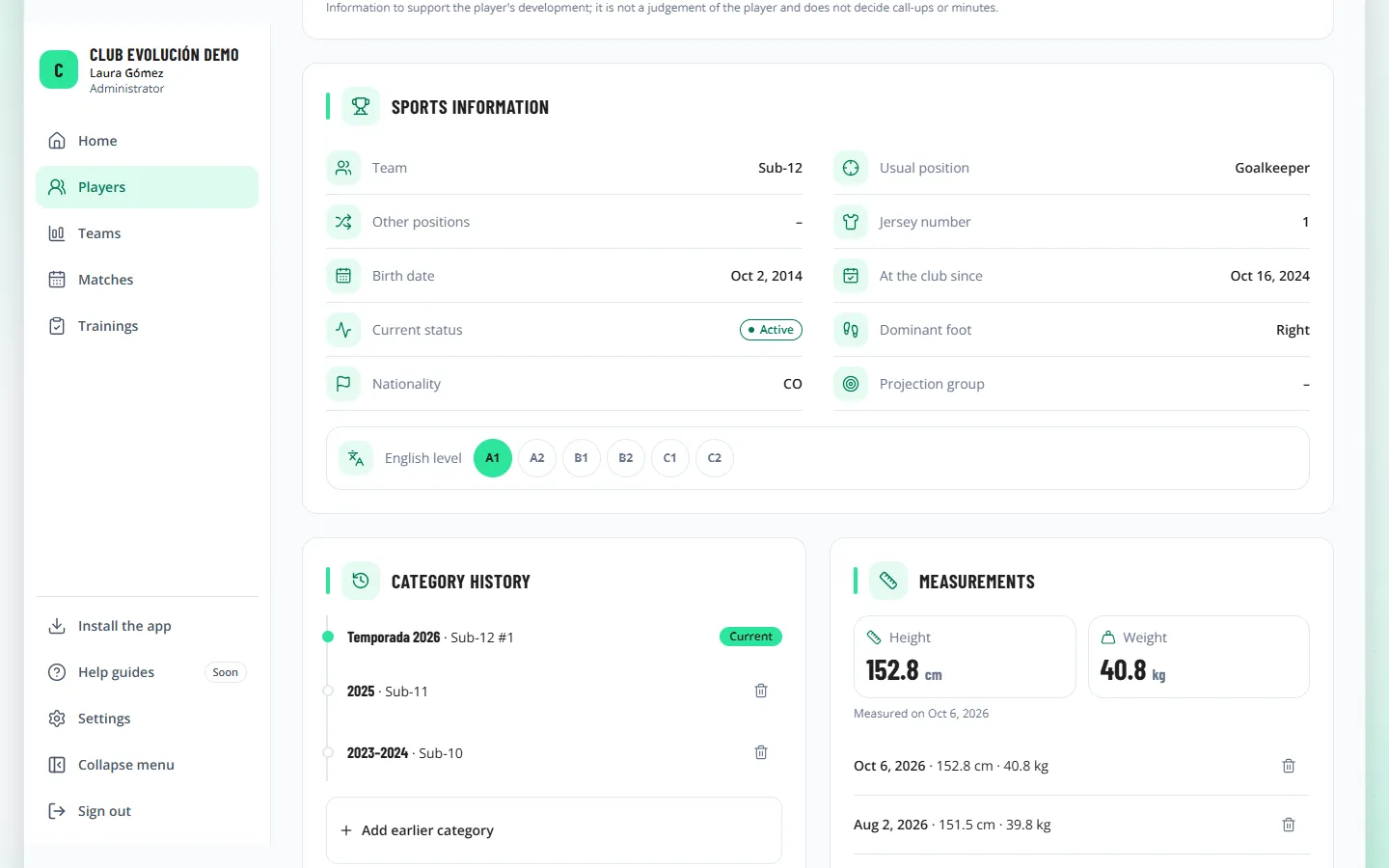
Further down are their lists, each with its add button:
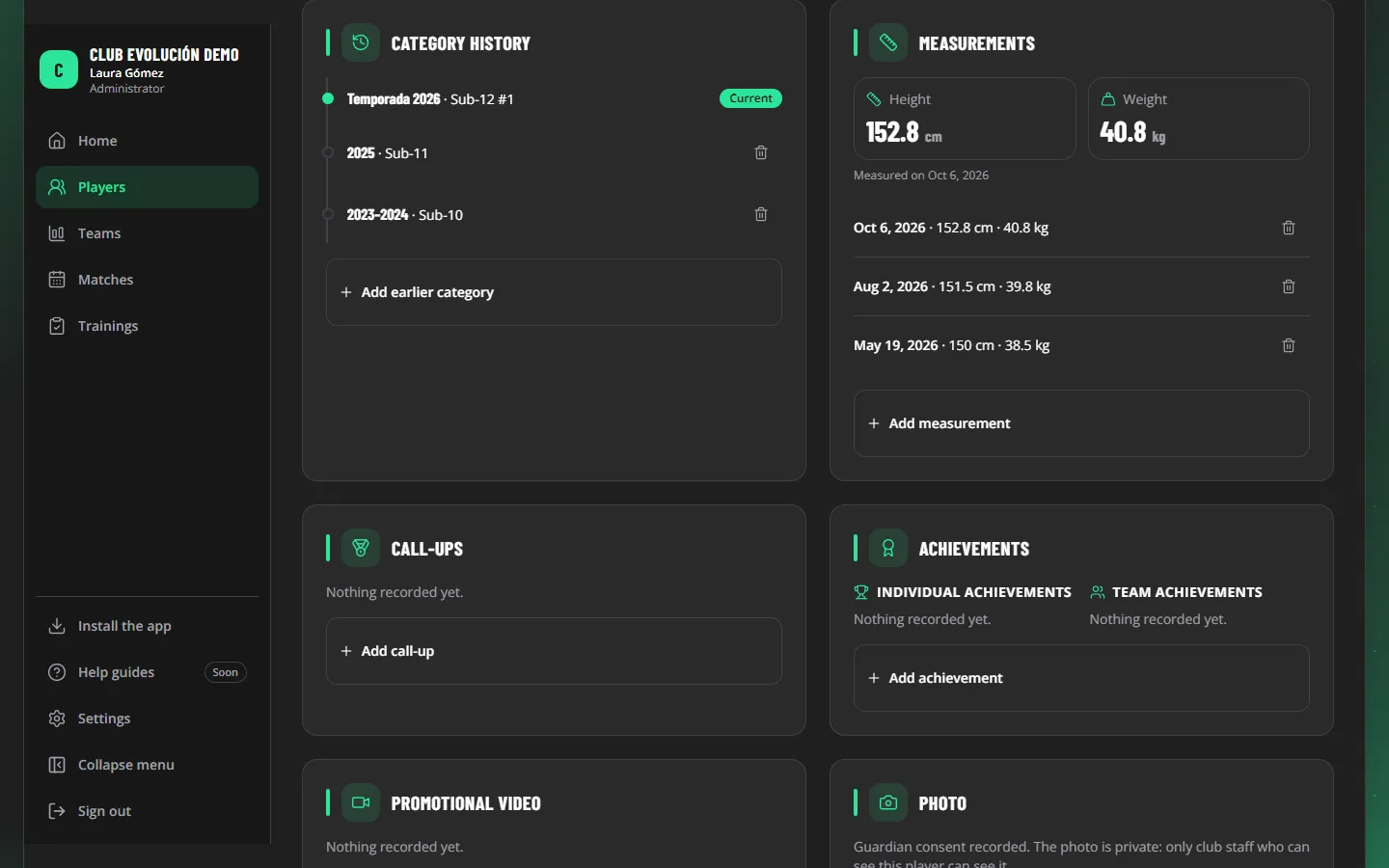
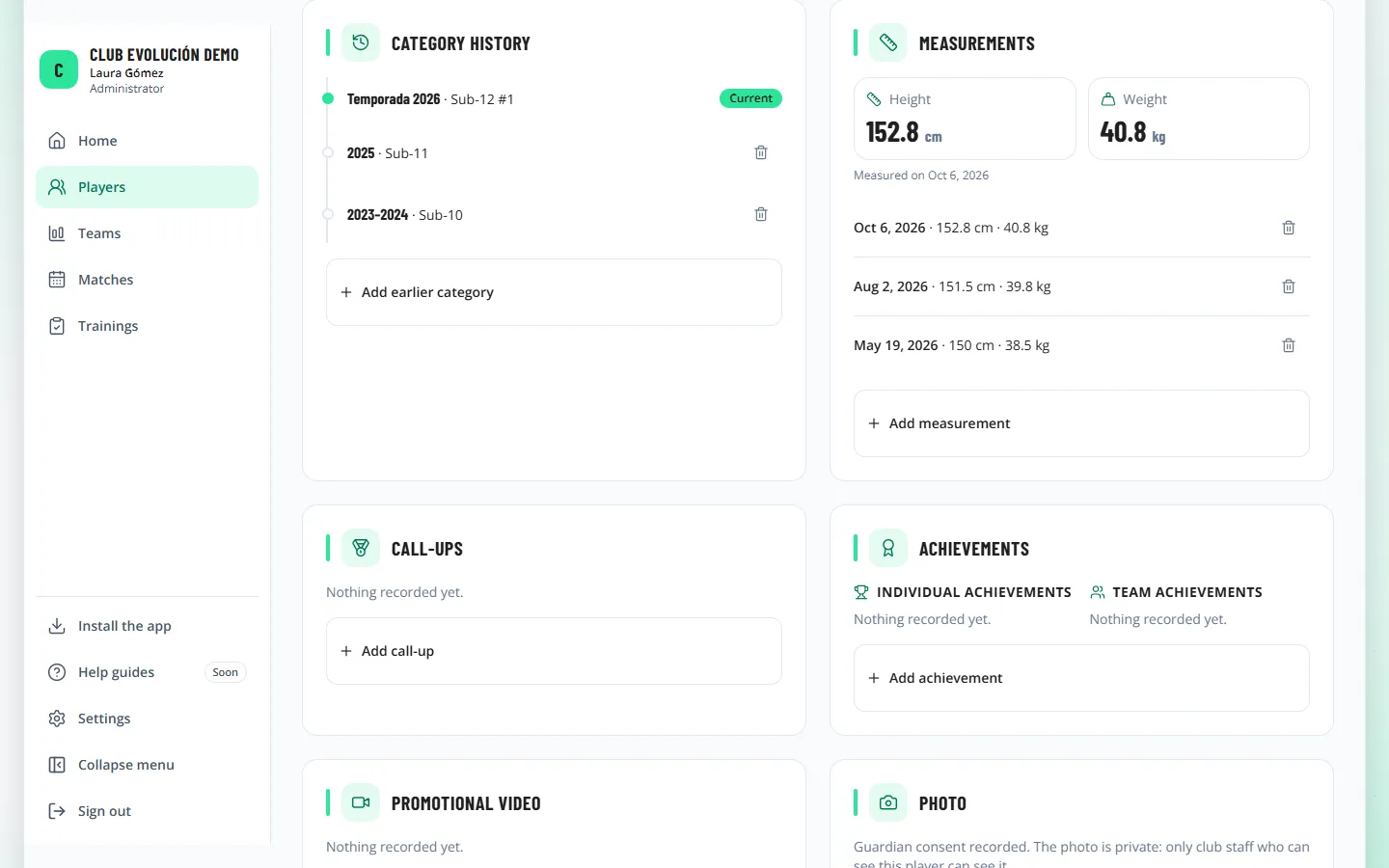
- Measurements: height and weight by date; the latest are highlighted.
- Category history: earlier categories (for example, U-10, 2023–2024) and their seasons on the platform.
- Call-ups: selection, level (departmental, national or international) and whether they were called up or pre-selected.
- Achievements: individual and team, with the year.
- Promotional video: an https link (for example, YouTube), with the guardian's authorization (or the player's own, for an adult).
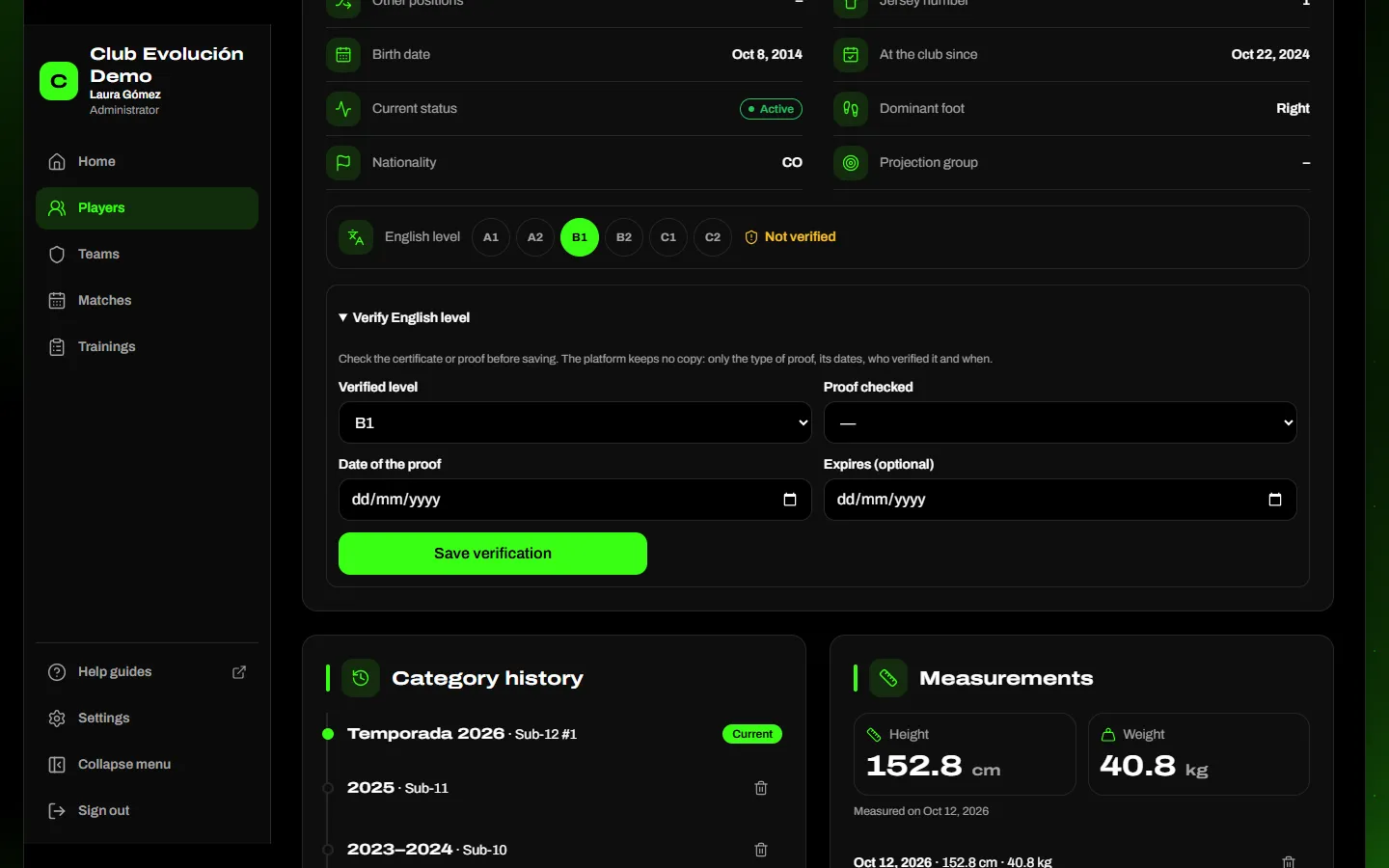
Verified English level. The level only counts once the Administrator checks an official proof (Cambridge exam, TOEFL, IELTS, EF SET, a school or language institute certificate) and records it on the profile with Verify English level: level, type of proof, date and, if it has one, expiry. The platform keeps no copy of the certificate; only the type of proof, its dates, who verified it and when.
- Verified: the level shows with the Verified mark on the profile, the printable card and the players file.
- Not verified: if the player's data authorization is recorded, the level shows with a Not verified notice (like the photo authorization notice).
- No authorization: if the data authorization is not recorded, the level is shown to nobody until the Administrator verifies it.
Depending on your role
Only the Administrator verifies or removes a verification. If someone changes the level when editing the player (or it arrives in an import), it becomes not verified. An expired verification shows as Verification expired.
Depending on your role
The Administrator and Technical Director add everything; coaches can add measurements. Only the Administrator deletes entries, and every deletion is kept in the audit trail.
Recap
- The profile brings together the player's sports information
- Measurements, history, call-ups, achievements and video
- Only the Administrator deletes entries
- The English level counts only when the Administrator verifies it with a proof
To unmark the lesson, select the button again.
Questions? Visit our support portal: support.proevolutionlab.com (opens in a new tab)